
EditPlus

Overall rating:
Ease of Use: 
Effectiveness: 
Help/Support: 
Publisher: ES Computing
Price: $27.00

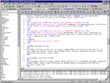
EditPlus is an Internet-ready 32-bit Text editor, HTML editor and Programmer's editor for Windows. While it can serve as a good replacement for Notepad, it also offers many powerful features for Web page authors and programmers. Syntax highlighting for HTML, CSS, PHP, ASP, Perl, C/C++, Java, JavaScript and VBScript. Seamless Web browser for previewing HTML pages, and FTP commands for uploading local files to FTP server.

Features:

* EditPlus supports powerful and customizable syntax highlighting for HTML, CSS, PHP, ASP, Perl, C/C++, Java, JavaScript and VBScript by default. Also, you can create your own syntax file to support other programming languages.
* Seamless web browser for previewing the content of your HTML document or Java applet without leaving the editor. Browser window also has common browser commands so you can browse Internet web sites as well as local HTML files.
* FTP commands for uploading your local files to FTP server or for editing remote files directly.
* Highlights URL and e-mail addresses in normal text files and lets you activate them with a single keystroke (F8) or 'Ctrl + double-click'.
* The HTML Toolbar allows you to insert common HTML tags quickly and easily. It also supports useful tools such as HTML Color Picker, Character Picker, Table Generator and Object Picker.
* The Document Selector offers quick mouse access to all document windows currently loaded. Much faster than selecting on Window menu or pressing Ctrl+Tab key multiple times.
* EditPlus supports user-defined tools, help files and keystroke recording files. The output of tool execution can be captured in the Output Window, so that you can double-click the error line to automatically load the file and locate the cursor to that line.
* Auto-completion is a time-saving feature which changes a short abbreviation into a complete string. It supports Perl and C/C++ by default. Also, you can create your own auto-completion file to support other programming languages.
* The cliptext window is collection of text clips for quick and easy access. You can easily customize them, and you can also create your own cliptext file.

Read reviews
Page:
1
Displaying 1-10 of 27 reviews

EditPlus is a better tool for Windows.

By madhu on Fri, 2010-05-07 20:10
Product Rating:
Ease of Use: 
Effectiveness: 
Help/Support: 
Pros: Light weight,Auto-completion,Supports multiple platforms,Document template,spell checker,
Cons: XML formatting,workspaces,versioning,bad error handling,Does not support all mainframe languages
EditPlus is a text editor, HTML editor, PHP editor and Java editor for Windows. While it can serve as a good Notepad replacement, it also offers many powerful features for Web page authors and...

Editplus - A wonderful time and effort saver

By calicoaster on Sat, 2010-01-16 09:42
Product Rating:
Ease of Use: 
Effectiveness: 
Help/Support: 
Pros: Pros: Light weight, facilitates work to be done faster by quite use friendly interface and hot key support, includes various features that help in improving code quality for programming language developers.
Cons: Cons: Costly, since not all features can be used all the time. Some features can be made pluggable thereby making it more affordable and usable. May hang if the compiler you've configured with Editplus generates large number of errors.
I have been using editplus for my coding work since past 4 years and I absolutely find it amazing. The best thing about the tool is its various color codes for the text. I've used the tool for coding...

Text Editing is a breeze with EditPlus!

By jerrymouse on Tue, 2010-01-12 20:51
Product Rating:
Ease of Use: 
Effectiveness: 
Help/Support: 
Pros: Contrasting default colors for syntax highlighting, great search and replace, HTML toolbar, brace-matching
Cons: A bit expensive for general use. Have to download spell-checker separately.
EditPlus has been my constant companion for webpage developing in PHP/HTML for about two years. True that the numerous features take time to learn, but in the end it makes the work a whole lot easier...

This softwares is addcting

By yogendra on Sun, 2009-08-23 16:52
Product Rating:
Ease of Use: 
Effectiveness: 
Help/Support: 
Pros: Totally this software makes you addict, easy to use and quality driven
Cons: This software is little expensive to buy, since there are many other open source softwares available in the market.
I have been using Edit plus since many months.The real need of this software can be only realized when you go and install it.The file directory to manage,create text files,doc files, more than 12...

Cross between Just HTML Text and GUI

By Budgetperson on Wed, 2009-05-13 02:05
Product Rating:
Ease of Use: 
Effectiveness: 
Help/Support: 
Pros: Easy To Use, FTP Built In, and can do many languages.
Cons: Price is high, bad inital coding techniqes,so-so support for css.
Overall, EditPlus is an interesting way to design website. EditPlus has features that I like, but it has some aspects of it that I dislike, and I do not think EditPlus is worth the $27 price. You are...

A great asset for UNIX programmers

By Peace on Sun, 2009-05-10 05:51
Product Rating:
Ease of Use: 
Effectiveness: 
Help/Support: 
Pros: Supports multiple platforms like unix, mainframe and windows and many different languages.
Cons: 1. Does not support all mainframe languages. 2. Does not support Non-Stop Tandem platform. Does not even alert that something is wrong with the downloaded file.
This is one tool I have been searching for just after finishing my college. If you are someone working on UNIX or Mainframe, then you will love to have this tool. It allows easy transfer of files...

Edit this Editor

By Melatonin on Wed, 2009-05-06 18:38
Product Rating:
Ease of Use: 
Effectiveness: 
Help/Support: 
Pros: *One button click to view your html in a browser *Pregenerated code *Multilanguage support *Auto Indexing
Cons: *A bit clustered *GUI doesn't look friendly *Need to uncheck 'default' to make changes
Before I begin, I used this software only to make simple php syntax to preform simple operations and tables. I've never really used any text editor besides vim on Linux machines. For anyone that has...
Product Rating:
Ease of Use: 
Effectiveness: 
Help/Support: 
Pros: Supports all major proficiency level functions of text/code editing (syntax highlighting, code snippets, FTP client, auto complete, column select, spell check, action recording…). Supports customization over almost any existing option in the program.
Cons: Poorly designed user interface, which makes achieving efficient workflow very difficult.
Program’s interface is dying for a redesign. Old Windows-fashioned buttons are not just poorly picked, but are very confusing for beginners or even intermediate coders because they don’t seem to...

Save your Money and walk away

By Riecus on Mon, 2009-01-26 13:08
Product Rating:
Ease of Use: 
Effectiveness: 
Help/Support: 
Pros: supports multiple languages, preloaded shells
Cons: hard to navigate, confusing icons, made for experienced programmers only
I am a seasoned web designer and programmer. This product is a mix between notepad and a code editor. It has a simple design with several icons that can confuse even the most experienced programmer....

Cheap, easy to install, ftp commands,

By sandeepgoog on Sat, 2009-01-24 03:15
Product Rating:
Ease of Use: 
Effectiveness: 
Help/Support: 
Pros: Syntax highlighting, auto completion, tabbed access, FTP
Cons: Lack of custom plugin support, XML formatting, workspaces,versioning .
There are many text editor's in the market. Some are free. But editplus is much better than most of them. For $27 it is worth a buy. The features i liked are HTML,java syntax highlighting, auto...
Page:
1