
ZoneTick World Time Clock

Overall rating:
Value For Money: 
Ease of Use: 
Effectiveness: 
Help/Support: 
Publisher: WR Consulting
Price: $17.95

Are you a currency trader? Do you work for an international business? Do you travel from timezone to timezone or have international friends? In any case ZoneTick is the clock for you!

The ZoneTick download replaces the Windows system clock with a multiple time zone world clock. The options this utility offers include:

* Simultaneous display of several clocks right in your taskbar.
* Varied digital and analog skins. Digital skins are Winamp-compatible.
* Online time synchronization over NTP with accurate atomic time servers.
* The ability to set any amount of one-time and recurring alarms and toggle ZoneTick's action when alarms fire.
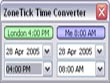
* A calendar and a time converter for easy time calculations across time zones.
* A prefix and tooltip for every clock that you can edit to display, for example, the name of your overseas contact, or business partner.
* The ability to hide the clocks in your system tray in a menu.
* A URL or program link of your choosing, on double-click (eg: display world/local weather, or show a news page).
* Automatic adjustment for daylight saving time.

Know international time by glancing down at your Windows system tray!

Read reviewsDisplaying 1-10 of 10 reviews

Zone Tick World Time Clock: A waste of time

By Dan on Fri, 2008-04-04 02:01
Product Rating:
Value For Money: 
Ease of Use: 
Effectiveness: 
Help/Support: 
Pros: You are able to check the time anywhere on the globe and is easily downloaded.
Cons: It is overly priced and the same type of program can be downloaded for free.
Have you ever wondered what time it is in London or Sydney? Have you ever wanted to just see what time it is in different places around the world? I know i haven't! This program is overly priced and...

World time, Anytime

By maina kabiru on Wed, 2008-01-23 10:53
Product Rating:
Value For Money: 
Ease of Use: 
Effectiveness: 
Help/Support: 
Pros: .MANY features including alarms. .Quite easy to use. Adds colour and style to the plain Windows clocks we all have.
Cons: Costs alot
The entire software is a breeze. With a fast internet connection, the downloading is very easy and fast.Unlike many software, installing this software is only a three step process, making the whole...

I will not pay $18 on something that I can get for free

By buxtop44 on Thu, 2008-01-10 15:06
Product Rating:
Value For Money: 
Ease of Use: 
Effectiveness: 
Help/Support: 
Pros: hyperlink posting alarm setting
Cons: a freebie is better that this program
A freebie is better than this software. Yes it shows the time in different geographical locations and gives some features like personal-labeling timezone but the freebie that we use in our office is...
Product Rating:
Value For Money: 
Ease of Use: 
Effectiveness: 
Help/Support: 
Pros: featureful; seamless download and use; sleek look and feel
Cons: expensive for such a basic tool.
I was skeptical when I downloaded this. I didn't believe it had much use and figured it had to be replicated for free elsewhere. Surprisingly enough, there is some value here. -allows for around 30...

I'm a Clockaholic

By aditya_92 on Sat, 2007-09-15 23:39
Product Rating:
Value For Money: 
Ease of Use: 
Effectiveness: 
Help/Support: 
Pros: Compact, useful, accurate, FULL of features.
Cons: Expensive, consumes plenty of memory for a basic utility.
ZoneTick's World Time Clock is truly a marvelous utility. It's simple, compact, fast, and it's the best at what it does. The modified clock replaces the plain, old Windows clock in the task bar, with...

Value for Money

By prabha_malpani on Thu, 2007-05-17 07:38
Product Rating:
Value For Money: 
Ease of Use: 
Effectiveness: 
Help/Support: 
Pros: Simple, sleek design. Easy to use / configure.
Cons: Nothing. However, a web plug-in is desired.
Here is a unique, simple but effective software to manage time across multiple time zones. Nowadays, in this era of globalization, many people will have clients / friends / customers across multiple...

ZoneTick - The BigLittle Time Management Utility

By MrWriter1971 on Sat, 2007-02-10 00:43
Product Rating:
Value For Money: 
Ease of Use: 
Effectiveness: 
Help/Support: 
Pros: Facilitates Time/Task Management, Easy to use, Feature Rich, User Centric
Cons: Usability: There should be a sound accompanying the Show Message action in the Alarms section of the ZoneTick Preferences dialog.
ZoneTick is a feature rich and easy to use Time Management utility. This utility will be very useful for individuals who travel frequently and need to keep track of multiple tasks at their various...

ok.....

By scorpioncbr on Mon, 2007-01-08 20:18
Product Rating:
Value For Money: 
Ease of Use: 
Effectiveness: 
Help/Support: 
Pros: Very useful if you find the right task for it
Cons: The price is a tad bit steep for what it offers
ok, I have to start out by saying that i only got this because it was gift, now honestly I don't really know what to do with it, basically all this does is tell you what hour it is in different parts...

How to spend less time managing time

By mmalka on Mon, 2006-10-30 02:57
Product Rating:
Value For Money: 
Ease of Use: 
Effectiveness: 
Help/Support: 
Pros: Simple, powerful, gets the job done.
Cons: Limited appearance and arrangement of clocks on the taskbar.
Manage time is not easy. Manage time in different zones is even more difficult. If you have business, relatives or friends in different places and always have trouble to remember what time is it...

ZoneTick World Time Clock
By Jack_40K on Tue, 2006-04-04 13:06
Product Rating:
Value For Money: 
Ease of Use: 
Effectiveness: 
Help/Support: 
Pros: Stylish, cool and fun way to tell the time. Also heaps of other useful tools such as alarms, reminders and beeps from Windows. It's great for people who are travelling and you can have up to 10 different international times showing at once! Great program!
Cons: No cons unless you simply don't want an accessory to the Windows clock!
Agh, the time. You can tell the time easily by loking at a clock, watch, computer, oven, T.V and of course a computer. Although there is a built-in clock that comes with windows, it's a little plain...