
Font Creator 5 Home Edition

Overall rating:
Ease of Use: 
Effectiveness: 
Help/Support: 
Publisher: High-Logic
Price: $58.50

Font Creator puts font creation within the grasp of the average PC user, typographers and graphic designers.

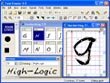
The editor lets you easily select and modify the entire character set of any TrueType font and fonts based on OpenType font technology. Features include the ability to convert (scanned) images to outlines, thus enabling you to create fonts with your own signature, logo and handwriting.

The intuitive interface makes Font Creator the perfect tool for both new and experienced users. The advanced validation features make the design process easy and help you avoid common mistakes.

Whether you're a font vendor who wants to create and distribute royalty-free fonts, a designer who needs a unique font, a business person who needs to add a euro sign, logo or signature to an existing font, or a home user who wants to make a font based on your own handwriting, Font Creator has the tools you need.

* View and edit TrueType and OpenType fonts
* Create new characters (glyphs) or create new fonts
* Modify individual glyph contours
* Add or correct composite glyphs
* Add kerning of glyph pairs
* Edit and correct font names and mappings
* Correct fonts that display incorrectly
* Transform individual glyphs or an entire font (e.g. to make a bold version)
* Preview fonts before installing
* Install fonts in Windows
* Unlimited undo, redo and repeat options

Read reviewsDisplaying 1-8 of 8 reviews

Easy to use once you figure it out.

By Heather on Wed, 2008-06-25 05:38
Product Rating:
Ease of Use: 
Effectiveness: 
Help/Support: 
Pros: Simple to use. It does the work for you.
Cons: You don't get much help learning the program and the price in my opinion is a bit high.
The Font Creator 5 Home Edition is a very simple program to use after playing around with it. Don't expect much information from the help index. It tells you how to get started and thats about it. It...
A bit on the expensive side.

By xohwinter on Mon, 2008-03-17 03:12
Product Rating:
Ease of Use: 
Effectiveness: 
Help/Support: 
Pros: Conversion was easy, Menu was easy to read.
Cons: the program slowed my computer some.
I initially thought this was a bad gimmick as I have been wanting to mess around with expressive thought through font creation. I tried this product with negative intentions, don't get me wrong it...

Font Creator great identity creator

By seham2008 on Wed, 2008-02-13 18:25
Product Rating:
Ease of Use: 
Effectiveness: 
Help/Support: 
Pros: easy to use
Cons: the price is maybe a little much
I always wished for having my own font that shows my own identity. Having this wish for many years, Font Creator finally enabled me to have my own private font maybe this for a lot of people isn’t...

Font Creator 5 Home Edition is Good, but not for everyone.

By demarcusgd on Fri, 2007-10-12 01:30
Product Rating:
Ease of Use: 
Effectiveness: 
Help/Support: 
Pros: Great price point, great results (with a little extra effort), powerful software.
Cons: Non-intuitive interface, more difficult to use than advertised
I'm an independent comic creator, and one of the main uses I got this program for was to create my own fonts for lettering. Professionally pre-created fonts can cost up to a hundred dollars or so, so...

Font Creator 5 Home Edition

By wansly123 on Fri, 2007-07-13 02:29
Product Rating:
Ease of Use: 
Effectiveness: 
Help/Support: 
Pros: Everybody to became an expert when using this application.
Cons: There's no huge difference between Font Creator Program 4.5 & Font Creator Program 5.
Font Creation is very useful & easy application. A common person also knows to work in font creation. This application is useful to the average PC user, typographers and graphic designers. User can...

Keep on looking for a better font creator

By balance on Mon, 2007-07-09 18:29
Product Rating:
Ease of Use: 
Effectiveness: 
Help/Support: 
Pros: When it comes to converting picture to font, Font Creator 5 does a good job + the help file is OK
Cons: No support, their website is down, no advanced drawing tools, you need a picture editor (ex.Photoshop) to experience its full power
If you're looking for a nice, easy and comfortable to use, feature-full font editor, then Font Creator 5 is not what you're looking for. While the user interface is acceptable (although they could...

Create Your Own Logo

By beularaja on Wed, 2007-02-07 12:51
Product Rating:
Ease of Use: 
Effectiveness: 
Help/Support: 
Pros: Everybody to became an expert when using this application
Cons: There's no huge difference between Font Creator Program 4.5 & Font Creator Program 5.
Font Creation is very useful & easy application. A common person also knows to work in font creation. This application is useful to the average PC user, typographers and graphic designers. User can...

Great Software, a tad high in price.

By kerlins on Fri, 2006-10-20 03:58
Product Rating:
Ease of Use: 
Effectiveness: 
Help/Support: 
Pros: Very powerful piece of software Many options in effects
Cons: Price Did I mention price?
So you want to create your own font. Maybe you saw a font online but the creator was charging to download and use it? So where do you start? That’s where Font Creator 5 comes in. Many of us don't...