
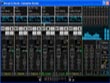
Virtual DJ Studio

Overall rating:
Ease of Use: 
Sound Quality: 
Effectiveness: 
Help/Support: 
Publisher: Next Generation Software, Inc.
Price: $35.96

VDJ3 is a virtual mixing console for DJs. You can play multiple MP3 and Wave files, with tempo/pitch control for beat-matching. Plus, easily set a configurable number of 'lines', each of which has its own MP3/WAV file player, volume control, pitch/tempo control, and other options. The program includes a 10-band EQ, plugin support, integrated File Navigator, and Playlist Editor.

Virtual DJ Studio is not like all of the other DJ programs out there. While other programs limit you to two players with a Cross-Fader, Virtual DJ Studio provides you with an entire studio.

The two-deck metaphor is out-dated. There is no reason to limit yourself when your PC can easily give you so much more. Now, with Virtual DJ Studio, you can break free from this tired metaphor!

VDJ3 Screenshot Click on the image to your right to see a full-sized picture of VDJ in action. You will quickly see how VDJ is different from other DJ software. Laid out like a Mixer, each Line features a full MP3, WAV and Playlist player, with its own Volume Fader, Pitch/Tempo control, and more.

You can select how many Lines appear on VDJs interface. You can configure as many lines as will fit on your screen.

* Easy to Use (Don't be intimidated by the number of buttons you see in the picture. If you have a knack for audio equipment, you will quickly pick up on VDJs use. VDJ comes with a complete Help file, including a Getting Started guide that will have you mixing MP3s in no time!)
* File Navigator (VDJ3's File Navigator gives you a whole new way to locate your music. It functions as a file manager, displaying all supported file types along with extra information (bitrate, sample frequency, bit resolution, etc). The File Navigator lets you preview any file without having to open it. File Navigator also contains an integrated Playlist Editor, for building and managine PLS, M3U or VDJ playlist files.)
* File Navigator (File Navigator also has two File Queues, holding areas for songs you just want to keep handy. You might use one for song requests, and the other to store common popular tunes. Both File Queues remember what they contained the next time you open VDJ.)
* Improved Drag 'N Drop Support (You can drag files from the File Navigator, File Queue, or any other Windows program (such as Windows Exporer or your Desktop). You can also drag files from any line in VDJ to another line, or into the File Queue (or even to other programs). VDJ3 gives you limitless possibilities with Drag 'N Drop, allowing you to intuitively open and manage files.)
* Headphone Support (VDJ allows you to use an extra sound card for CUEing, or Previewing, a sound file. You can use this feature to assist with beat-mixing (fading two songs together on-beat), or for simply previewing a song before playing it live.)
* Plugin Support (Plugin Manager VDJ3 now offers Plugin support. Third parties can contribute audio processing plugins that can be used within VDJ3's Plugin Manager. VDJ3 comes with a few Plugins as well, including a Compressor/Limiter, a Low-Pass Filter, and Stereo Expansion.)

Read reviews
Page:
1
Displaying 1-10 of 16 reviews

Review for Virtual Dj

By younghed on Sun, 2009-04-26 17:40
Product Rating:
Ease of Use: 
Sound Quality: 
Effectiveness: 
Help/Support: 
Pros: Best advantage is Beat match or sync. This has been introduced to the sofware side of djing which some people argue takes the main away the main aspect of djing. There are different varietys of effects. Doesn't take up to much ram.
Cons: Limited to two decks. Limited format inputs.
Virtual Dj is a mixing tool/software available for Mac and Pc whic is helpful. This software I recommend for Djs or musicians who are in the begining process of mixing, but to contradict there are...

Virtual Dj : Is it So......

By Ric on Mon, 2009-02-09 19:43
Product Rating:
Ease of Use: 
Sound Quality: 
Effectiveness: 
Help/Support: 
Pros: Reasonable Price, Impressive switching , back to back playback
Cons: Ineffective interface, Limited Format Support
Talking about Virtual Dj the name fascinates but is this so.......... I Ihink the software is good but could be better. At first the user interface is not good, for a beginner it would look odd to...

Virtual DJ Studio Review

By NichelleP on Tue, 2009-01-27 05:16
Product Rating:
Ease of Use: 
Sound Quality: 
Effectiveness: 
Help/Support: 
Pros: Simplistic, reasonable pricing, and runs smoothly
Cons: Scratching function needs to be updated, limited variety of formats
Virtual DJ Studio is a program that lessens the difficulties for the upcoming dj's and allows an individual to enhance their track with different functions. I would reccommend this for begginners...

Doesn't Strike a Chord

By flyingpenguin on Sat, 2008-12-13 02:43
Product Rating:
Ease of Use: 
Sound Quality: 
Effectiveness: 
Help/Support: 
Pros: Good quality sound, potentially great fun
Cons: Looks horrible, lacking addictive factor which this sort of program should have. Not as much fun as it could be.
You are the music while the music lasts. ~T.S. Eliot The ultimate question is: how long will the music last? In this case, sadly, I fear not very long. From the first opening of the program, it looks...

Good for starters, nice features

By ineqx on Mon, 2008-07-07 01:07
Product Rating:
Ease of Use: 
Sound Quality: 
Effectiveness: 
Help/Support: 
Pros: Excelent audio managing, nice interface, easy to use, manages plugins
Cons: Scratching is not accurate, really slow on old machines, too heavy
Virtual DJ studio is a great attempt on helping young inexperienced people to break into the dj world at a low cost. I started to test this program with the trial version found at their homepage, and...

Virtual DJ-good but perhaps not the best

By kevin stewart on Mon, 2008-06-23 06:22
Product Rating:
Ease of Use: 
Sound Quality: 
Effectiveness: 
Help/Support: 
Pros: Simple to use and navigate, will find audio files very easily, supports mant different formats.
Cons: Unable to handle more than a few commands at once, effects are unrealistic.
Whie Virtual DJ may get you started, it falls short of being helpful to a professional. It is very entertaining to use in your own home but, in my opinion, should'nt be used to entertain publicly...

The Dj Program that can get you started

By nynbones93 on Tue, 2008-06-03 00:42
Product Rating:
Ease of Use: 
Sound Quality: 
Effectiveness: 
Help/Support: 
Pros: It is a good program that helps start your succes as a dj. Its not to complicated and there are not too many buttons that can confuse you. With the graph and sound meters it is easier to mix in songs together without it.
Cons: The only con that i could find was the scratching on the other record is not simple because for obvious reasons you are not to in control because you dont have the record right in front of you. So basically the scrathes might be to short or long for what your taste might want.
Virtual Dj is a program that obviously has to deal with being a dj. For those who do not know what the letters Dj stand for, it is an abbreviation for disk jockey. The Dj brings the party to clubs,...

Virtual Dj - Great for Beginners.

By dude_o.O on Thu, 2008-05-01 06:25
Product Rating:
Ease of Use: 
Sound Quality: 
Effectiveness: 
Help/Support: 
Pros: Very easy to use, great mixing options, easy music transfer and playlist creating.
Cons: pretty slow on some computers and laptops. Scratching is not precise.
I had bought this for a friend of mine since he dj's quite a bit, and a lot more than I do. He mainly still scratches with vinyl records, and he saw me using the Virtual Dj and became interested in...

IS machine what we need in music ?

By SD on Sun, 2008-04-27 08:18
Product Rating:
Ease of Use: 
Sound Quality: 
Effectiveness: 
Help/Support: 
Pros: The bpm counter is very precise; The effector in VDJ is very adjustable and is working propertly; is great for beginers...
Cons: master tempo is cutting the sound; your agility is miserable...
Virtual dj studio is a one of the too many attempts to help young and unexperienced dj-s breaking into the music scene with low costs. It is a virtual dj equipment with two chanel mixer and two...

virtual DJ Studio for them

By jaygauten on Fri, 2007-09-07 09:00
Product Rating:
Ease of Use: 
Sound Quality: 
Effectiveness: 
Help/Support: 
Pros: supports multiple player lines to give more time for DJs searching for songs, Playlist function.
Cons: there some still missing function that should be added like cue, beat matching and beat sync
Everybody loves music-rock, ballad, R&B, pop, easy listenig or instrumental-the matter is how they use it to entertain them and others but for me i like music to be mixed just how i hear on clubs and...
Page:
1