
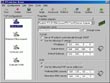
IPSwitcher Basic

Overall rating:
Ease of Use: 
Sound Quality: 
Effectiveness: 
Help/Support: 
Publisher: Softmate Corporation
Price: $18.00

Are you a mobile user?

Do you need to use your computer in more than one network?

Do you have multiple types of Internet connections?

Then IPSwitcher Basic is a product for you! It has been developed for those people, who work dynamically at several locations in the network (due to their business) and for those, who need to be connected in different offices. Also if you have several different types of connection at home (like DSL, Private Internet connection, Home network etc.) You should use IPSwitcher Basic.

Now you don't need to change your TCP/IP related settings every time when you are connected to the different Network. All you need is just to configure once any of your possible locations (e.g. IP addresses, Subnet masks, Gateways, DNS and WINS addresses) throughout the user-friendly interface and that's it! From this moment you only have to click the icon in the system tray, select your desired configuration by the name - and IPSwitcher Basic will do for you the rest of changes in a moment! And one more useful thing - these changes will be made without reboot!

FEATURES:

* TCP/IP Settings Change without Reboot
* Applicable to Various Network Environment
* Multi NIC (Network Interface Card) Support
* Configure IPSwitcher to start and apply configurations automatically during OS starting
* Online Update Support

Bonus Links

The Man Who Found Zen - The Story of Sedona Method

How To Turn $60 Into $1000 In Three Months With Domain Names

Richard Knerr, The Entrepreneur Who Gave You Hoola Hoop, Frisbee, Hacky Sack And Silly String Dies

We Pay You To Come Up With Unusual Domain Names For Us ($25 Per Domain)

This Valentine's Day The Flowers Are Free ($100 Limit Per Person)

Best Deal For Omaha Steaks Online (Free Shipping, Too)

Read reviewsDisplaying 1-6 of 6 reviews

Review for IPSwitcher Basic

By fretsonfiregh2 on Sun, 2008-06-15 01:57
Product Rating:
Ease of Use: 
Sound Quality: 
Effectiveness: 
Help/Support: 
Pros: Basically the list of features included with the software, along with a nice affordable price.
Cons: Can be confusing for the average person, needs to be decorated more.
In depth: Pros: Basically the same list of features; * TCP/IP Settings Change without Reboot * Applicable to Various Network Environment * Multi NIC (Network Interface Card) Support * Configure...

IP Switcher

By ajaydecent on Tue, 2008-04-29 18:31
Product Rating:
Ease of Use: 
Sound Quality: 
Effectiveness: 
Help/Support: 
Pros: Very Intelligent Application to help users working in mult-pipelined network connections assigned.
Cons: Well even though it's got the best part but lacks ATTRACTIVENESS , INTERFACE DESIGN , Over all for the value of money well I give Some Credit .
Well If you have a computer which has multi-routing pipelines or marquestes and if you have any problem in switching to different network then I guess this is the RIGHT ANSWER. It doesn't have...

multiple net connections

By mirsarvat on Thu, 2008-03-20 23:29
Product Rating:
Ease of Use: 
Sound Quality: 
Effectiveness: 
Help/Support: 
Pros: Create independent routing configurations. Every configuration can contain unlimited routing entries - Import/export routing configurations with special files on your hard disk - Configure IPSwitcher Pro to start and apply configurations automatically during OS starting
Cons: - Easy to edit file format (XML). Possibility to change it manually whenever it's necessary (e.g. while administering multi-computer network it could convenient to prepare files for different computers in network at once
Control different types of Internet connection (ADSL, Leased Line, Cable Modem Line) with a User Firendly interface with an easy-to-use soft router - IPSwitcher Pro! Supports Multi-Network...

The most easy to Use TCP/IPSwitcher

By elchine on Thu, 2008-03-20 19:58
Product Rating:
Ease of Use: 
Sound Quality: 
Effectiveness: 
Help/Support: 
Pros: The IPSwitcher Basic v1.3 comes with a great price.
Cons: The functions are great, and its very easy to use, and you cant get knocked out thinking about how to configure your network. It lets you apply your settings to start working whenever you start your system.
Hey guys, the IPSwitcher Basic v.13 has a fine interface, Very easy to follow and you will understand what you are doing. It alows you to see the available adapters- { WAN (PPP/SLIP)Interface, 3com...

IPSwitcher Basic

By alexandercolquhoun on Sun, 2008-03-16 12:06
Product Rating:
Ease of Use: 
Sound Quality: 
Effectiveness: 
Help/Support: 
Pros: Easy TCP/IP Switching without restarting Great User Interface Good Pricetag
Cons: Avoids explaining confusing areas if the user is not quite sure what to enter
IPSwitcher Basic IPSwitcher Basic is the latest most advanced software that lets you work dynamically from different locations. It digitally detects the latest TCP/IP settings in your network for...

A Worthwhile Switch: IPSwitcher Basic

By jpunshon on Thu, 2008-01-24 11:26
Product Rating:
Ease of Use: 
Sound Quality: 
Effectiveness: 
Help/Support: 
Pros: -Detects current TCP/IP settings - making the "switch" effortless -Simple, clutter-less interface -Generous, full functioning trial period -Good price point for full purchase
Cons: -No explanation of technical terms (WINS, TCP/IP etc). This may deter the average user. -Bland, utility style interface. -No official Vista support.
Usually when you want to switch your TCP/UP settings for reasons such as accessing a different connection or network, you have to access the TCP/IP settings which are tucked away in some obscure...