
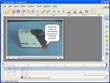
ViewletCam

Overall rating:
Speed: 
Ease of Use: 
Effectiveness: 
Help/Support: 
Publisher: Quarbon
Price: $134.10

The Fastest, Easiest Way to Record & Publish Full-Motion Video to Flash just got better - Introducing ViewletCam.

Designed for business professionals, ViewletCam requires no special training or costly consultants. It is a fast, easy, cost-effective way to produce high-quality, interactive, animated content for distribution on the Internet, via e-mail or on CDs. Simple to use, just capture a video recording of your product or service directly from your computer screen.

Yes, you can capture the entire screen, a designated area of the screen, a single window, even a single pane or object within a window. Enhance your video with images, callouts, text, and audio. Then generate high-quality rich media content that can be played on over 97% of the world's Internet-connected computers as well as many mobile devices.

Capture animations, scrolling windows, user interactions such as dragging and dropping objects on the screen, dynamic content like stock price data or news feeds from on-screen "tickers", even Flash movies and video.

Easily record full-motion video from your PC Screen Create dynamic simulations, demos, and presentations by recording PC applications, PowerPoint presentations, animations, and video in real-time directly from your PC screen.

Effectively capture and share any PowerPoint file ViewletCam's PowerPoint Add-in makes it even easier to quickly record every aspect of your PowerPoint presentation including animations, transitions, audio, and video.

Create small, secure files Produce streaming Flash files that are small in size and secure from unauthorized modifications to your content.

Add voice-overs and music to your presentation Connect with your audience by walking them through a complex process. Easily record CD-quality, stereo enabled, voice-overs or background music directly into the Viewlet itself.

Read reviewsDisplaying 1-6 of 6 reviews
Product Rating:
Speed: 
Ease of Use: 
Effectiveness: 
Help/Support: 
Pros: Fast and simple designed for business professionals. You do not need any kind of special training to know how to use this software.
Cons: If you pick out a specific screen area it will capture near perfect but it won't capture nothing but the top left corner of the screen. Theres no way to select area to be captured.
ViewletCam is very quick to use media software tool that lets you record, edit, and publish full-motion videos from your own PC, letting you quickly and easily make compelling content that gets the...

ViewletCam is better than expected

By praveen kumar g on Sun, 2007-09-02 17:08
Product Rating:
Speed: 
Ease of Use: 
Effectiveness: 
Help/Support: 
Pros: Easiest Way to Record & Publish Full-Motion Video to Flash just got better,Recorded Images/Video, powerful, reasonable system requirements.
Cons: Recorded Video Maxes out at 10fps -Can't take in game footage -The "single window" capture can be touchy,and als record images, callouts, text, and audio. Simple to use.
The Fastest, Easiest Way to Record & Publish Full-Motion Video to Flash by ViewletCam. we can capture the entire screen, a designated area of the screen, a single window, even a single pane or object...

Niceone but Cons Dominates the Pros

By RockRakesh on Sun, 2007-08-12 20:23
Product Rating:
Speed: 
Ease of Use: 
Effectiveness: 
Help/Support: 
Pros: To track our daily works. To make tutorials of some designs -helpful for students. For security in companies, Catch thieves redhanded
Cons: Very easy to make fraudulent things. Sound recording is not that much effective
It is a very good software for the people who wants to record their daily works in the PC. It will be helpful like a dairy for them. All the facilities like Exporting and Converting to EXE are very...

Will quickly get you going

By Daniel M on Sun, 2007-04-29 14:36
Product Rating:
Speed: 
Ease of Use: 
Effectiveness: 
Help/Support: 
Pros: Easy to use, results of great quality and effective user interface.
Cons: No real help file. Price tag might be a little high for indie developers.
Just seconds after I started ViewletCam, I was able to record a flash movie. After recording, I already had something worth looking at. The program has a timeline, where you can add things like...

Computer-based training made easy

By mmalka on Mon, 2006-10-23 16:21
Product Rating:
Speed: 
Ease of Use: 
Effectiveness: 
Help/Support: 
Pros: Affordable, easy to use, powerful, reasonable system requirements.
Cons: 10 fps limitation (not an problem in most cases), capture area selection could be improved.
With the never ending pursuit of cost saving opportunities, more and more companies are opting to train their employees remotely, using videos and computers, instead of sending them to a formal...

Quick and Easy Proof of Concept?

By Gasdark on Mon, 2006-10-16 00:56
Product Rating:
Speed: 
Ease of Use: 
Effectiveness: 
Help/Support: 
Pros: -Easy interface -Functional Video recording -Easy file conversion -Lots of touch up options -Recorded Images/Video are high quality
Cons: -Recorded Video Maxes out at 10fps -Can't take in game footage -The "single window" capture can be touchy
ViewletCam succeeds in combining a number of other programs into one all around smooth product: or so it's hyped. I'm glad to say that in this case it seems to live up to expectations. ViewletCam is...